
Run your susu company on your phone and computer
Sobel Susu keeps every customer's card, every cedi collected and every cedi paid out. Field workers record collections on their phones, even with no network, and the customer gets an SMS for each deposit.
For susu collectors, susu enterprises and savings companies with one office or many branches. Cash-up, withdrawals, loans and the books of account are done for you.
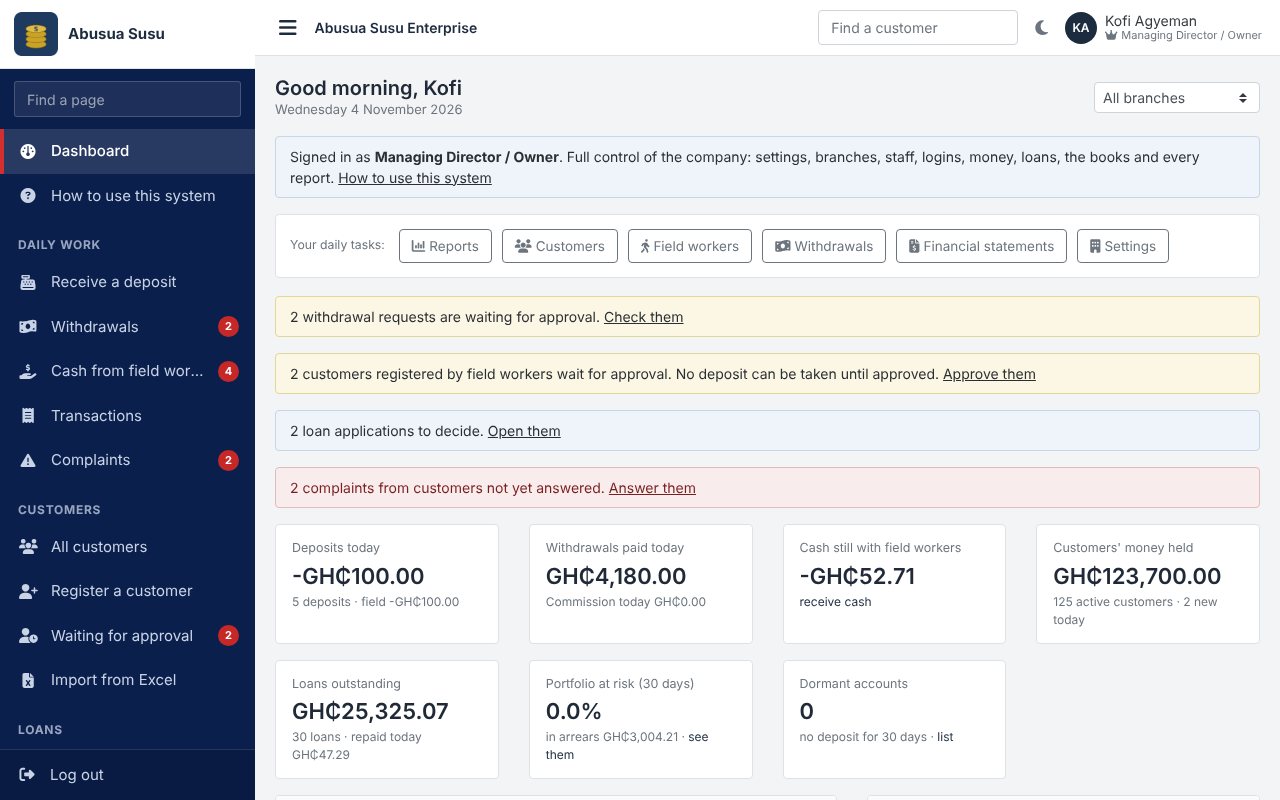
What the system does
The main parts, with screens from a sample company.
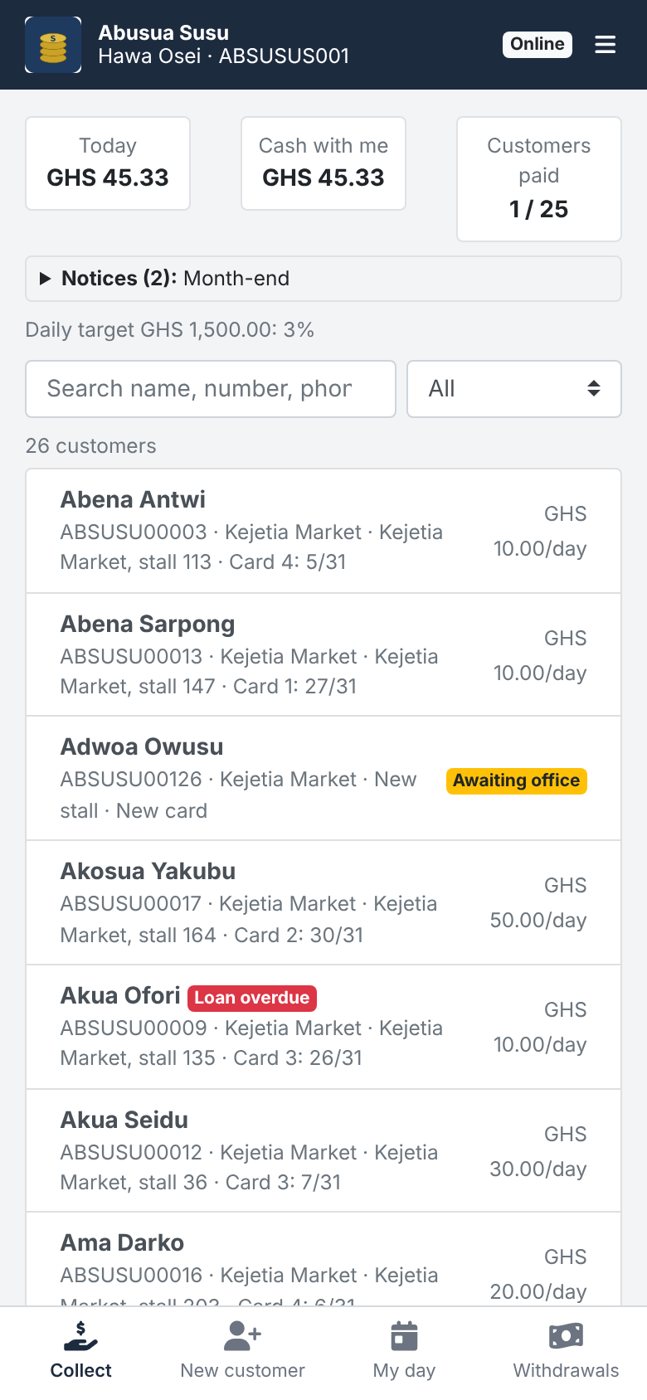
Collections on the field worker's phone
Each field worker has the collector app on an Android phone. They find the customer, choose the number of days, take the cash and tap Collect. The customer gets an SMS at once with the amount, the days and the new balance, so a collector cannot keep money without the customer knowing.
- Works with no network: collections wait on the phone and are sent when it is online, never twice
- The place of every collection can be recorded (GPS)
- A cash limit stops a worker carrying too much
- New customers registered in the field with photo and Ghana Card, approved by the office
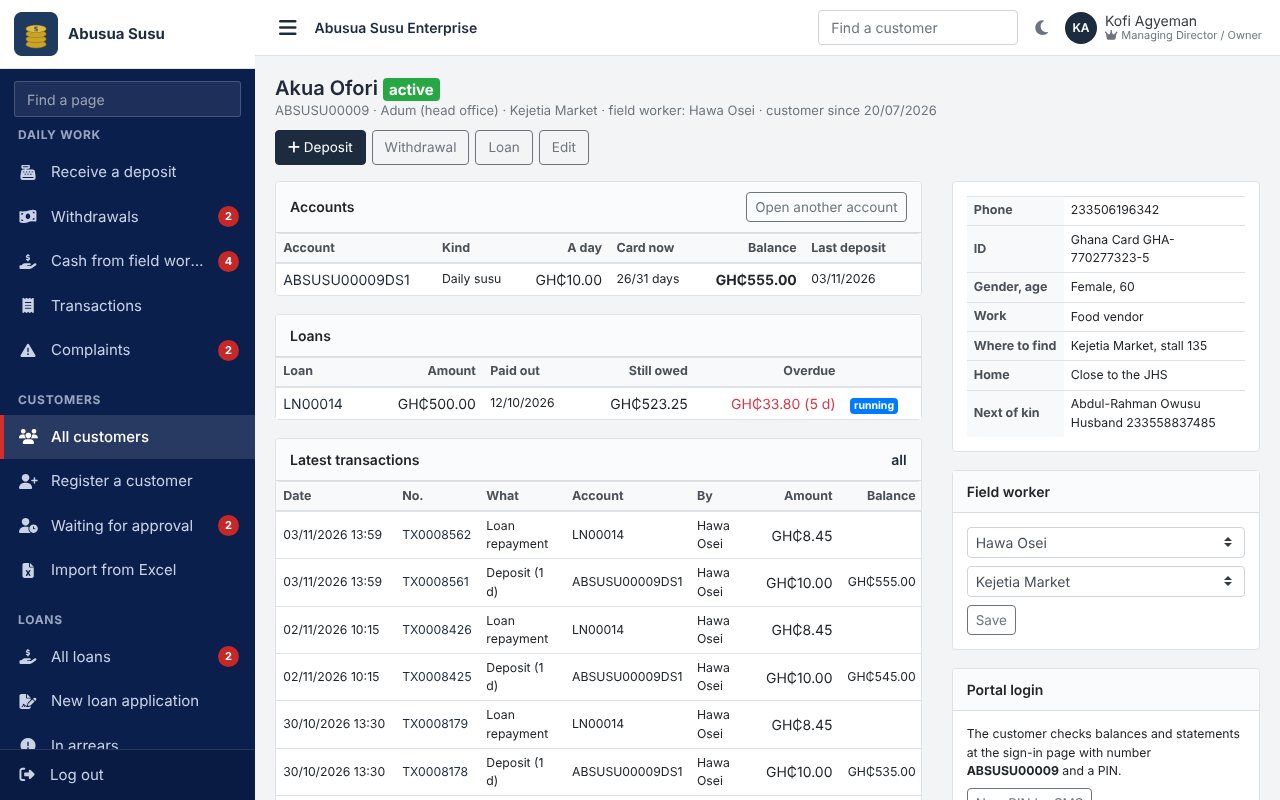
Susu cards and commission
A daily customer saves a fixed amount for a card of 31 days. The first day of every card is the company's commission, taken automatically. The card fills as days are paid, also several days at once, and a new card starts by itself. Savings accounts take any amount.
- Your own kinds of account: card length, commission in days or a percentage, opening fee
- Statement for any period, on screen or as a PDF
- Withdrawals asked for in the field, at the office or by the customer, approved by a manager above your limit
- Every mistake is reversed with an opposite entry; nothing is ever deleted
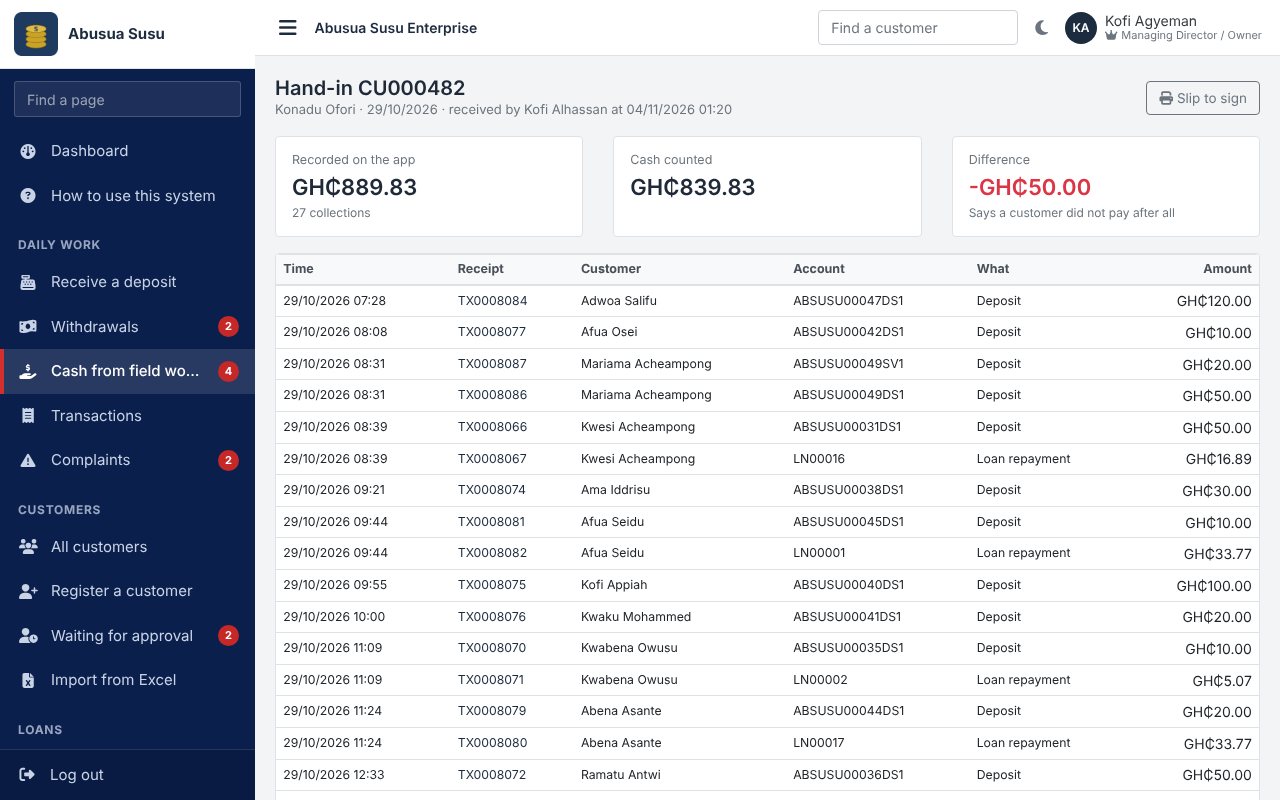
Cash-up every evening
In the evening the cashier counts each field worker's cash. The system already knows what the worker collected, so any shortage is seen at once, recorded against the worker and followed until it is paid back or written off.
- Cash-up slip for the worker to sign
- Shortages report by worker and by day
- Collections against each worker's daily target
- Complaints from customers linked to the worker concerned
Loans to savers
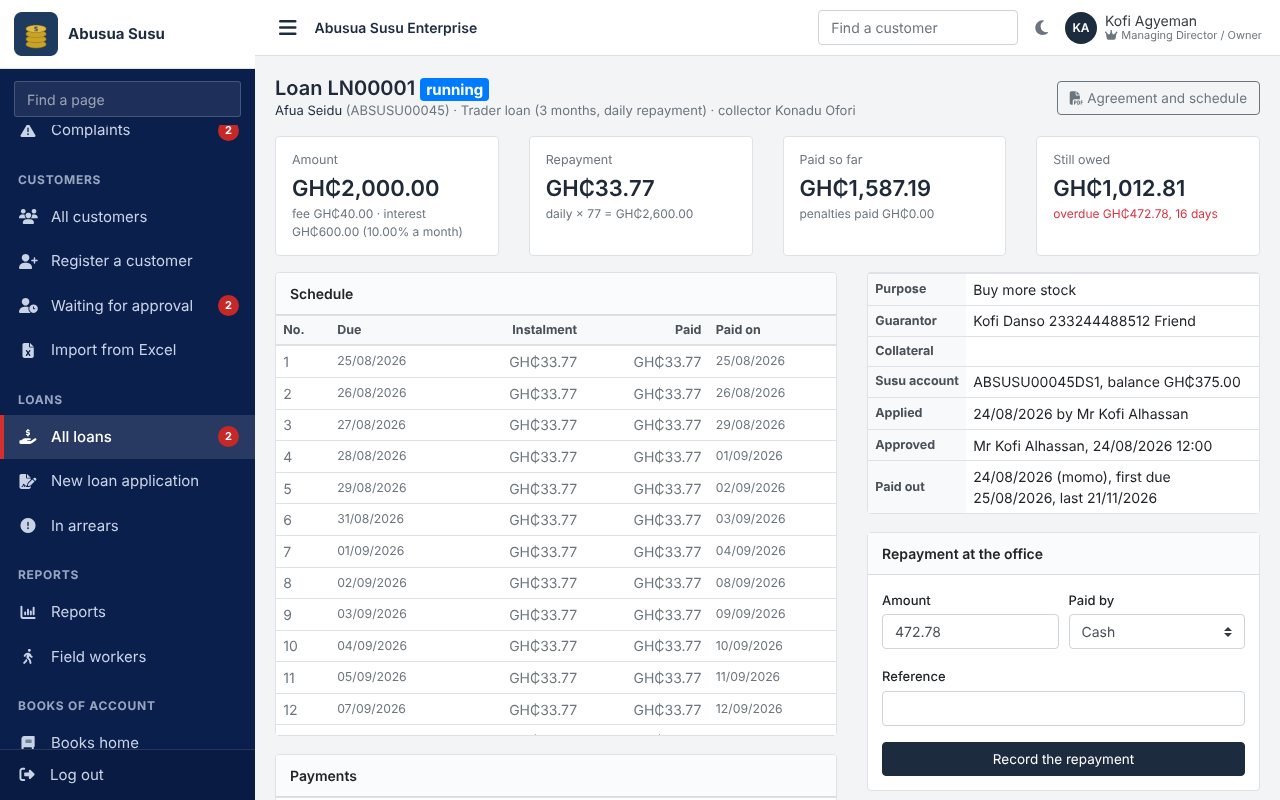
Lend to good savers. The system checks the days saved and the balance, works out the flat interest and the daily, weekly or monthly repayments, and the field worker collects the repayments with the susu.
- Approval by a manager, and by the owner above your limit
- Overdue amounts, days late and portfolio at risk
- Penalties and write-offs
- Repayment from the customer's savings when they agree
Books of account and financial statements
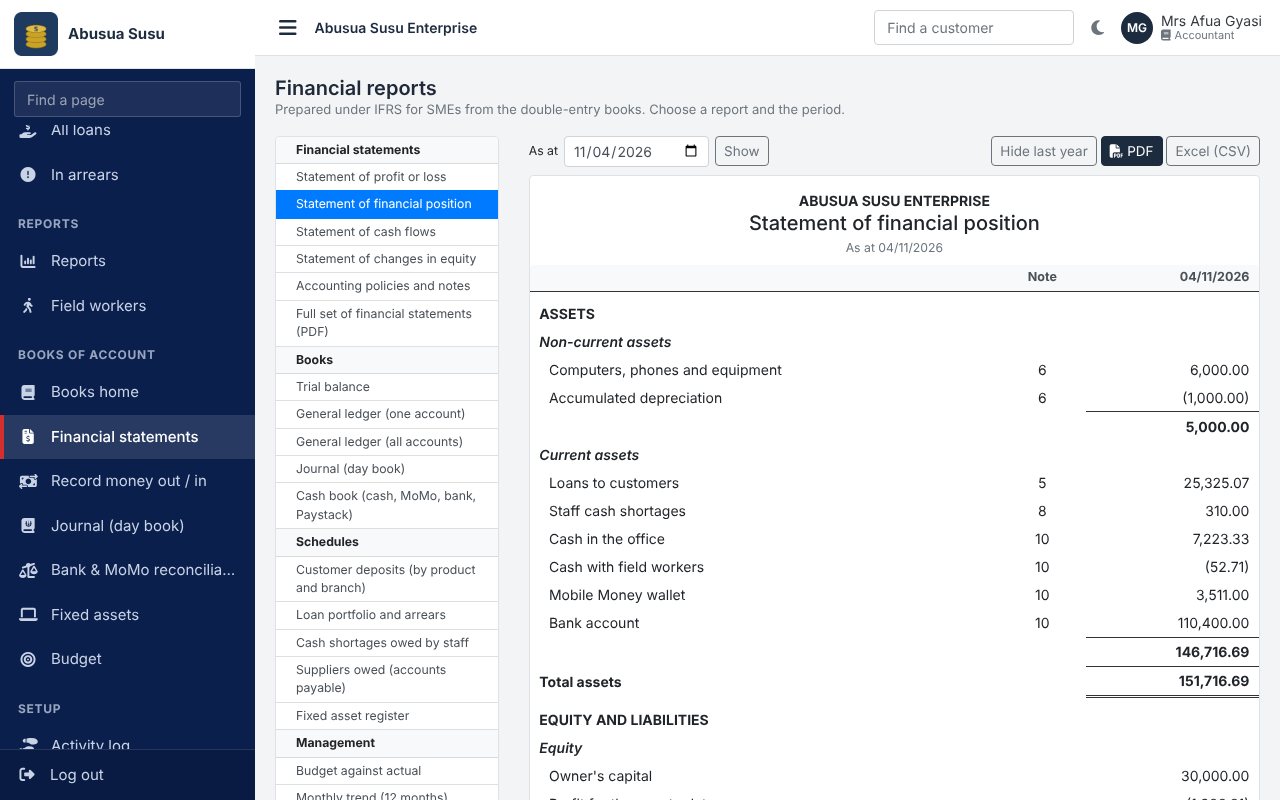
Every deposit, commission, withdrawal, cash-up and loan is posted to the books as it happens. Add your expenses and the system gives the trial balance, income statement, statement of financial position, cash flows and notes, ready for your accountant and the tax office.
- Customer balances always agree with the deposits account
- Bank and MoMo reconciliation, budgets and fixed assets
- Reports for every branch and field worker
- Excel and PDF for every report
Also in the system
A customer portal where customers see their balance and cards, ask for withdrawals and deposit by MoMo through Paystack; a public page for each company with a complaint form; import of customers and their balances from Excel; branches and collection areas; notices and SMS to all customers, to one area or to customers behind with loans; and a separate login for the owner, manager, accountant, cashier, loan officer, auditor and every field worker.
Pricing
Set-up and staff training are included. We confirm the price for your company when we call you.
| Plan | Price | Customers | SMS units | Includes | |
|---|---|---|---|---|---|
| Starter | Ask us | up to 500 | 500 | SMS and notices | Apply |
| Standard | Ask us | up to 3,000 | 3,000 | Customer portal and online deposits, Loans to customers, SMS and notices | Apply |
| Premium | Ask us | no limit | 10,000 | Accounting and financial statements, Customer portal and online deposits, Loans to customers, SMS and notices | Apply |
Getting started
- Apply. Fill in the short form below. You will get an SMS with a reference number.
- We call you. We agree the plan and price with you and fix a day to set up the company and train your staff.
- Your company is created. With your logo and colours. The owner gets the sign-in details by SMS.
- Add your branches, field workers and customers. Bring your customers and their balances in from Excel, give each field worker the collector app, and start collecting the next morning.
What you need to have ready
- Your customers with their phone numbers, daily amounts and balances (an Excel list or the cards)
- Your field workers' names and phone numbers, and an Android phone for each
- The cash, bank and MoMo balances of the company on the day you start
- Your logo, and a Paystack account if customers will deposit online
To see how it all works before you apply, read the user manual (PDF).
Apply for your company
We will call you to agree the plan and set up the company. Fields marked * are needed.
Questions susu companies ask
What if a field worker has no network?
The collector app keeps working. Collections are kept on the phone and sent as soon as the phone is online. Each collection has its own number, so sending it again never records it twice. The customer gets the SMS when it reaches the office system.
How do we stop a collector keeping money?
Every deposit sends an SMS to the customer. The cash-up each evening compares the cash handed in with what the worker recorded, and a shortage is recorded against the worker. Complaints from customers are linked to the worker.
How is our commission taken?
You choose for each kind of account: the first day of every 31-day card (the usual susu way), a number of days, or a percentage of each deposit. It is taken automatically and shows on the customer's statement.
Can customers deposit by Mobile Money?
Yes. Customers deposit through the company's own Paystack account from the customer portal, so the money goes straight to the company. MoMo paid to the company wallet can also be recorded at the office.
We keep paper cards today. Can we move?
Yes. Fill the Excel template with your customers, their daily amounts and their balances. The system brings them in with the balances and the days already on the current card.
Do we still need an accountant?
The books are kept for you, so your accountant only checks them and adds the expenses. The financial statements follow the IFRS for SMEs layout and can be printed for the bank or the tax office.
Who can see our records?
Only your own staff and customers can sign in to your company, and each person sees only what their role allows. Branch staff see only their branch; field workers see only their own customers.
How long does it take to start?
Usually a day or two after we receive your application and your customer list.
Contact us
Ask a question, or ask us to come and show the system to your staff.
Already using the system? Sign in to your company.